Skip to content

Digiretus.com

Free Photoshop Tutorials

Lightening shadows V. in Photoshop CS5

Petur BudaiOctober 22, 2017

How to lighten with the new blending mode in CS5?
Lightness IV. in Photoshop

Petur BudaiNovember 1, 2017

Adjusting Exposure after shooting in Photoshop.
Adobe Lightroom – Selective image editing

Petur BudaiOctober 29, 2017

Lightening and darkening specified areas of a RAW photo
Lightening shadows in Photoshop

Petur BudaiNovember 1, 2017

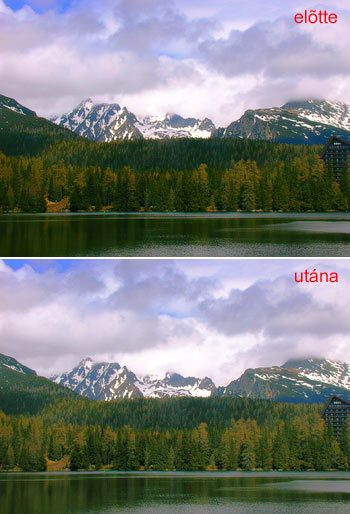
Sending a bit of sunshine to the shadowy areas of a landscape photo.

Lightness III. in Photoshop

Petur BudaiNovember 11, 2017

As always, we introduce a simple, but unorthodox method to make your pictures lighter.
Lightness II. in Photoshop

Petur BudaiDecember 4, 2016

Another attempt to lighten up a dark photo. This one’s a bit more complex, but still an easy job.

Lightness I. in Photoshop

Petur BudaiDecember 3, 2016

“It looked much better on the LCD!” The final picture is too dark on the monitor. A bit of editing is all you need.


Categories

  • Adobe Lightroom Tutorials
  • Mobile Retouch Tutorials
  • Other Articles
  • Photo Retouch
  • Photo review
  • Photoshop Articles
  • Photoshop Elements Tutorials
  • Photoshop Plugin Tutorial
  • Photoshop Tutorials

Recent Posts

  • Black and white in Photoshop Elements
  • Merging photos II. in Photoshop
  • Cropping photos IV. in Photoshop CS5
  • Perspective correction V. in Photoshop CS4
  • Plaster in Photoshop
  • Coloring in Photoshop


Retouch themes

advanced Android Background blur Black and white blue sky Borders Brightness Christmas Color blending Color defects Coloring Color replacement Colors Color saturation Content-aware contrast Cropping easy effect Face Film filter Gradient HDR High-key Lightness Merging photos Noise old photo painting Perspective correction Polar RedEye resizing Selection Sepia Shadows Sharpening Skin Softening Undo Unwanted elements very easy Vignette White balance
©2016 MekaNews Lite powered by WordPress
Tweet